
What to Do If Your Interlock Stops Communicating with the Monitoring Server
Disclaimer
The information in this blog is for general informational purposes only. Information may be dated and may not reflect the most current developments. The materials contained herein are not intended to and should not be relied upon or construed as a legal opinion or legal advice or to address all circumstances that might arise. You should contact your attorney to obtain advice with respect to any particular legal matter. Only your individual attorney can provide assurances that the information contained herein – and your interpretation of it – is applicable or appropriate to your particular situation. Links to any third-party websites herein are provided for your reference and convenience only; RoadGuard Interlock does not recommend or endorse such third party sites or their accuracy or reliability. RoadGuard Interlock expressly disclaims all liability regarding all content, materials, and information, and with respect to actions taken or not taken in reliance on such. The content is provided “as is;” no representations are made that the content is error-free.
An interlock that stops communicating with the monitoring server ranks among the more stressful alerts a driver can face mid-program. Your device records every breath test, rolling retest, and start attempt, and that data needs to reach the reporting server so your compliance record stays clean. When the connection breaks, the silence can feel like a problem building quietly in the background, one you didn't cause.
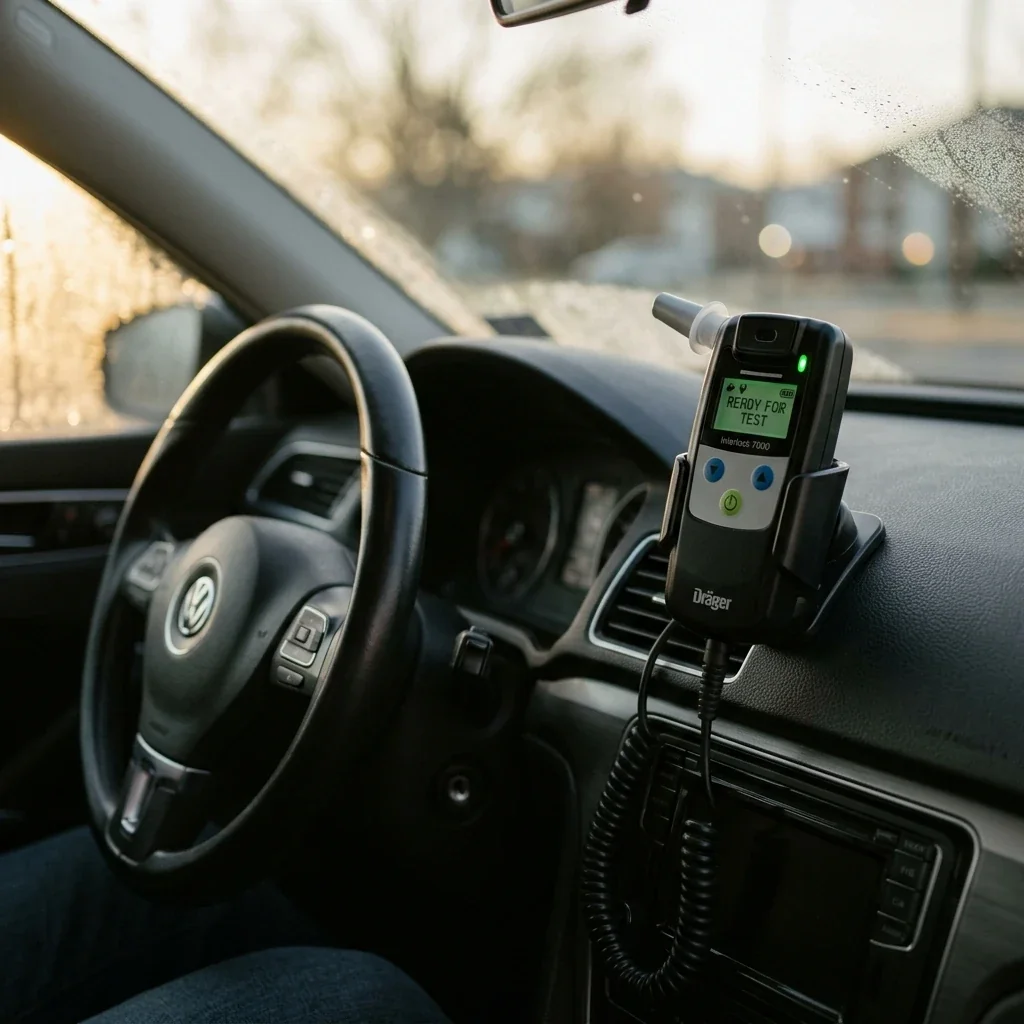
Most communication failures stem from a handful of predictable causes, and many resolve without a service visit. Here is what's happening behind the scenes when data stops transmitting, which issues you can safely troubleshoot yourself, and when to pick up the phone before the gap in your records becomes a compliance problem. One note first: rules and thresholds vary by state and program, so confirm your specifics with your provider or monitoring authority.
How Interlock Data Reaches the Monitoring Server
Before troubleshooting, picture the chain of events between your breath and your compliance report. Your device stores every test result locally on the handset. At scheduled intervals, it uploads that stored data to a central monitoring server, either wirelessly through a built-in cellular modem or during a physical calibration appointment when a technician downloads the logs directly.
Wireless-equipped devices typically attempt uploads multiple times a day. The handset packages your test logs, timestamps, and any photo or location records into a data packet, transmits it, and waits for confirmation. If confirmation doesn't come back, the device queues the data and retries at the next window. That retry mechanism matters: a single missed upload rarely triggers a flag because the system expects occasional gaps and catches up. Problems start when several consecutive uploads fail, creating a window of "missing data" that a monitoring authority may need explained.

What Causes a Communication Error?
Communication failures generally fall into three categories, and identifying which one you're dealing with points to your next move.
Battery and Power Issues
Your interlock draws power from the vehicle's battery. A weak or dying battery can supply enough current to start the engine but not enough to power the cellular modem during transmission. This is especially common in cold weather, when battery capacity drops. If your vehicle sat unused for several days, voltage may have dipped below the modem's threshold, so the device keeps recording tests locally but can't push data out, and you may drive normally, unaware a gap is forming.
Handset and Wiring Problems
The cable connecting the handset to the base unit is a common failure point. Loose connections, frayed wiring, or a handset that isn't fully seated can interrupt the data pathway, and you might notice different beeping, a "service required" message, or a "handset not detected" error. Don't ignore intermittent connection warnings, since a cable that works sometimes and fails others creates an unpredictable upload pattern.
Server-Side and Network Issues
Sometimes the problem isn't your device at all. Cellular outages, server maintenance, or a coverage dead zone can block transmissions. These usually resolve on their own and the retry logic catches up, but you have no easy way to tell a network outage from a device malfunction without contacting your provider.
Safe Checks to Try First
Some fixes are safe to attempt yourself; others risk making things worse. Start with the basics: confirm the handset is fully seated in its cradle and the cable shows no visible damage. Turn the ignition to "on" (without starting the engine) for a few minutes to give the device a chance at a fresh upload. If the vehicle has been sitting, take a short drive, since the alternator charges the battery and powers the modem more reliably than idling.
What You Should Never Do
Do not disconnect or unplug the device. Even a momentary disconnection can register as a potential bypass attempt, which creates a far bigger compliance headache than a missed upload. Don't try to "reset" the device by pulling fuses or disconnecting the battery, since those actions log as interruptions and may trigger a malfunction investigation. If your device shows an error code you don't recognize, write it down or photograph the screen; that information helps your provider diagnose the issue faster. A general troubleshooting guide can help you tell whether your symptom needs professional attention.
Compliance Risks to Understand
A gap in your data record isn't just a technical inconvenience. Depending on your state, missing uploads can carry escalating consequences, and monitoring programs generally distinguish between a brief network hiccup and a prolonged silence. The specific "missing data" thresholds and escalation paths vary by state and program, so the burden is on you to address a communication error quickly. Unresolved gaps can lead to a required early service appointment, an extended program term, or in serious cases a lockout. Because the threshold differs by jurisdiction, your provider's support team is the fastest way to learn exactly how much time you have before a gap becomes a reportable event.
When It Requires Professional Support
Contact your provider promptly if the error persists after a drive cycle, if the device shows a lockout countdown, or if "service required" messages don't clear. These situations need a technician's diagnostic tools, and waiting only narrows your compliance window. Your regularly scheduled calibration appointment also serves as a data catch-up, since technicians download all locally stored data during calibration and close any gaps the wireless connection missed. If your next calibration is within a few days and the device is otherwise functional, your provider may advise you to wait for that visit rather than making an emergency trip.
RoadGuard Interlock offers support and compliance transmission so communication issues get flagged early, and with a service network in the many states it serves, reaching a technician who can run diagnostics or schedule a visit is straightforward. If you're not sure whether your issue is urgent, the support line can walk you through a quick assessment first. For cases where your vehicle won't start at all because of a device error, understanding the emergency protocols for interlock malfunctions can prevent panic decisions that make things worse. And if the device is misbehaving in less obvious ways, this guide for when your interlock isn't working covers what to check before your next appointment.
Frequently Asked Questions
How can I tell whether it's my device or a temporary cellular outage?
The quickest way is to call your provider and ask them to check the last successful contact time and any carrier-side alerts in your area. If the server shows recent connection attempts from your unit, it may point to local coverage rather than a hardware problem.
Will a communication problem stop me from starting or driving?
Not always; many devices keep operating normally while storing results locally. If you see a lockout timer, repeated "service required" prompts, or inconsistent handset behavior, treat it as urgent and contact support.
How long can my interlock store records if it can't upload?
Storage capacity varies by device model and configuration, so there's no universal number. Your provider can confirm your unit's limits and how long you can safely operate before storage or reporting thresholds become a concern.
What information should I have ready when I call support?
Have your device serial number if available, the exact on-screen message or code, when it started, and your location. Mentioning recent patterns like low-battery symptoms, recent repairs, or long periods of non-use can also speed up diagnosis.
Can aftermarket electronics or repairs interfere with communications?
Yes. Installations or repairs affecting power, grounding, or wiring near the interlock can create intermittent issues that look like communication failures. If you recently added a remote start, stereo, or alarm, or had battery or alternator work done, tell your provider or technician.
What if the error happens while I'm traveling out of town?
Call your provider right away and ask for guidance based on your location, including whether roaming coverage could be a factor and where the nearest authorized service site is. For extended travel, ask how to document the situation to avoid misunderstandings with monitoring authorities.
How can I reduce the chance of repeated communication issues?
Keep your vehicle's electrical system healthy with up-to-date battery and charging maintenance, especially before seasonal temperature extremes. Keep the handset area clean and secure, and report intermittent alerts early so small connection problems don't become recurring gaps.
Protect Your Compliance Record Before the Gap Grows
Communication errors between your interlock and the monitoring server are common, usually fixable, and rarely your fault. The key is responding quickly and correctly: check your connections, drive the vehicle to restore battery power, document any error codes, and call your provider if the issue doesn't clear within a drive cycle. What you don't do matters just as much: never disconnect hardware or attempt a DIY reset.
If you're dealing with an interlock that isn't communicating and need help, RoadGuard Interlock's support team can help diagnose the problem and get you to the nearest service center in the many states it serves. Contact RoadGuard Interlock to resolve your communication error and keep your program on track.
Disclaimer: This article is provided by RoadGuard Interlock for general informational purposes only and is not legal, financial, or medical advice. DUI and ignition interlock laws, penalties, fees, and program requirements differ from state to state and county to county, and they can change at any time. Any costs, timelines, or figures mentioned are general estimates rather than quotes or guarantees. Please do not rely on this article as a statement of the law where you live. Confirm current requirements with your state DMV, the court handling your case, a licensed attorney, or RoadGuard Interlock directly before making decisions. Device features, pricing, availability, same-day installation, and any promotions referenced are subject to change, vary by location, and may not be offered in every state RoadGuard Interlock serves.